
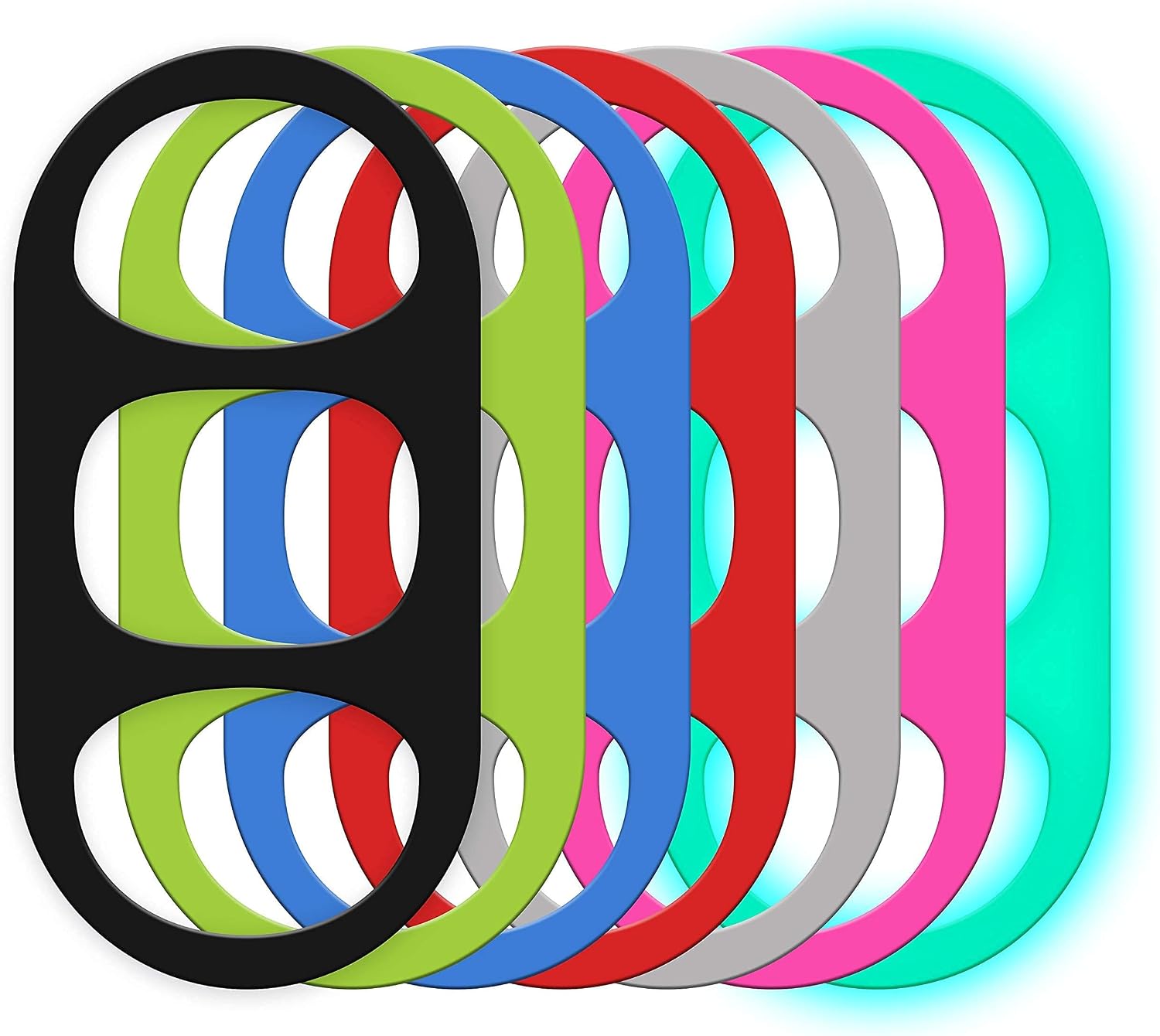
Tablet Handle, Holder, Grip for iPad Kindle Fire HD Surface Galaxy Tab and Compatible with Any Tablet with a Display from 8 inches to 11 inches (Mid-Size D3 Gray)
$19.95
Related Products





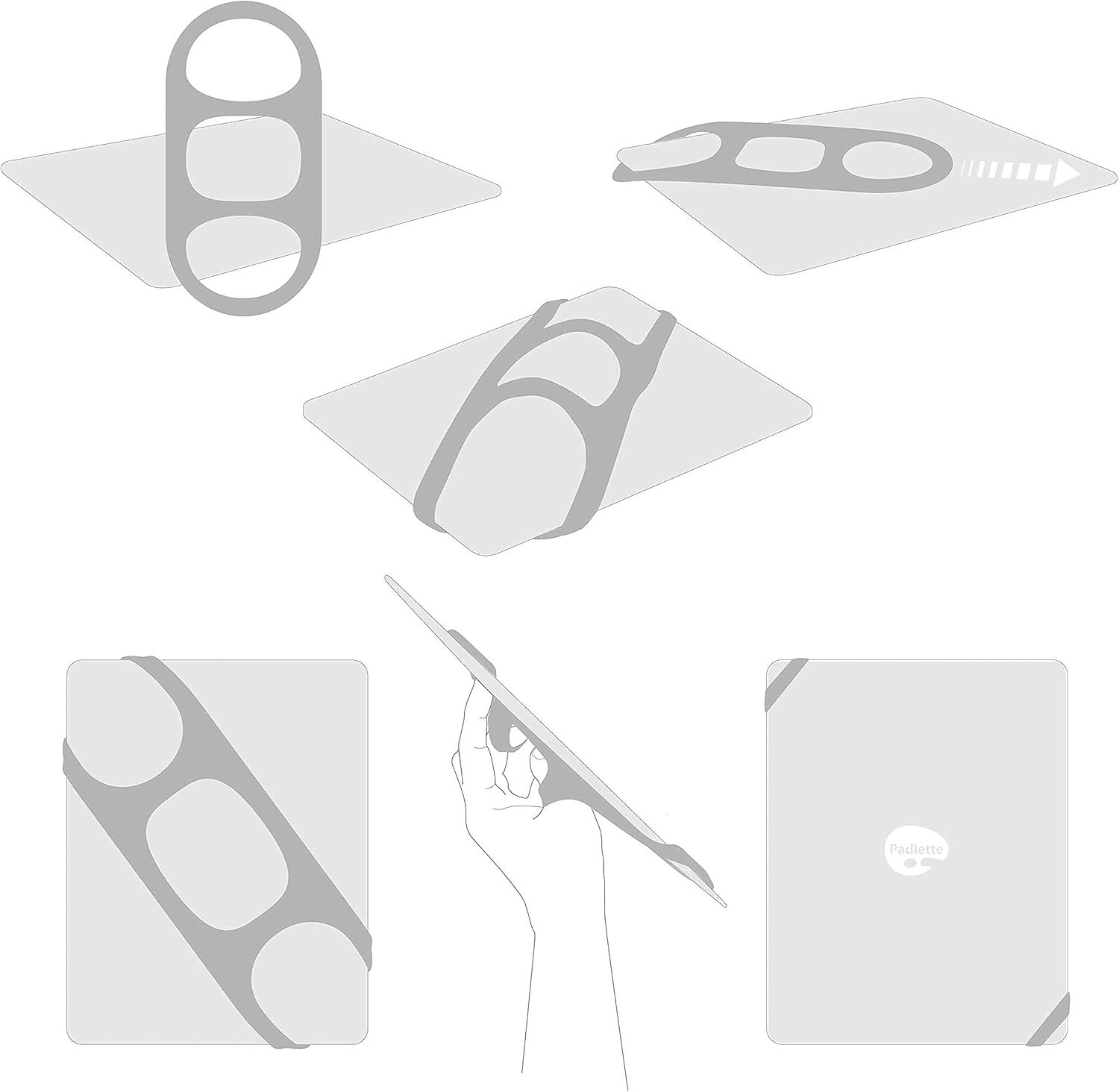
We’re Flexible:
Padlette was designed with flexibility in mind. Our designs are compatible with all tablet brands and models, from Apple iPads to Kindle Fires to Surfaces and Galaxy Tabs.
Padlette is versatile and offers wide functionality. There is no single way to use it so experiment and discover your favorite finger holds and hand positions.
Peace of Mind:
There are two basic approaches to tablet protection: one is to ensure that you never drop your device. The other is to minimize the damage when you drop your tablet. Padlette takes the first approach. You can finally let go of the fear dropping your device. After more than 10 years we have yet to hear of someone dropping their tablet while using a Padlette.
Keep it Simple: Padlette takes only seconds to put on or take off but once attached, it stays put. We challenge the competition to a security test whether glued on or another corner-to-corner holder. Padlette will be the one left standing after the shake test.
Of course, there are other tablet accessories that aid one-handed tablet use so it is important to understand how Padlette is different. Most other tablet handles employ a “case” solution or a “glove” approach (or both).
Keep it Light:
Many hand straps simply build a holder into a case. This approach adds unnecessary weight to hold. Why do cases get heavier as tablets get lighter? Beware of the case trap.
Holding your tablet should be both comfortable and secure. A holder that is part of a case is just more weight in your hand. Although Padlette can be used over a case, we recommend you keep it light– keep it mobile.
Keep it Clean:
Some accessory makers think the thing to do is to glue their product to your iPad. That is a hard sell. Not only can glued holders come unglued, but such tablet alterations are limiting, unnecessary and, okay, unattractive.
Ease of Use: Padlette is the tablet accessory that you didn’t know you needed. It will become the one you can’t live without. It’s comfort and versatility are first in class.
The Challenge: Nearly perfect in its design, the iPad is still larger than your hand and has a touch screen. So how best to simultaneously hold your tablet AND use it? Padlette to the rescue!
Think “Coffee Cup” Handle: Picking up and using your tablet should be as effortless and secure as picking up a cup of coffee. After all, how often has a coffee cup’s handle failed you? Padlette works the same way.
Pop up Grips: Padlette is designed so that its handle is formed by the act of installing it on your tablet. Those bands that pop up form the handles for you to grip, leaving your other hand free to work its magic on the touch screen.
Grip it–don’t wear it. Avoid the awkward ritual of having to put on your holder like it’s a catcher’s mitt that other brands require.
9 reviews for Tablet Handle, Holder, Grip for iPad Kindle Fire HD Surface Galaxy Tab and Compatible with Any Tablet with a Display from 8 inches to 11 inches (Mid-Size D3 Gray)
Add a review

$19.95
Thomas –
My favorite iPad accessory
When I started looking for something to help me hold on to my iPad for public speaking, I wasn’t finding what I wanted: a cheap solution to keep my hands from wearing out. My first reaction to this Padlette was that it was overpriced. I still think it’s a little pricy for what it is, but at the same time, it works well despite its simplicity and I don’t regret spending the money at all.I use this Padlette with and without a leather case on my iPad and it works well with both. It actually works better with the leather case on because the part of the silicon that wraps on the front side doesn’t come as far down from the corner. When I started using the Padlette I experimented with running it from the top left to the bottom right and vice versa. For me, being a right-handed gesturer, I run it from the top left to the bottom right (when looking at the front of the iPad). Without the leather cover on, this can sometimes cause trouble depending on the app if there is a control button in the top left corner of the app. With the leather on, it doesn’t cover as much of the screen on the corner and it is less of an issue.This straps on quickly and holds tightly. I can put it over my hand and it stays in place very well. I use it at least once a week and I’ve never had it come off, nor have I ever dropped it. It’s nice to slip it back off and carry it around without taking up a lot of space. It took some getting used to, but after I got used to the feel and learned to trust that it will stay in place I don’t even think about it anymore. I am very glad that I found the Padlette and if it ever breaks I will certainly replace it. Fortunately, after a year, there is absolutely no wear showing on it at all.
Dorothy Rosa Durkee –
Real security, tho maybe not extended comfort
I have mixed feelings about this product: I LOVE how safe, how snug, it makes my iPad feel in my hand, how I can carry my iPad from room to room, outside and indoors, and never worry about having it slip from my grip. This stretchy (but not *too* stretchy) band holds two corners so securely that it’s almost possible to forget that one’s hand and iPad are not a single, unified appendage. At the same time, I’m old enough to have some minor arthritis in my hands, and I can’t seem to find any position comfortable enough to stay in for as long as it takes, for example, to do all or half of a 20- to 30-minute crossword puzzle. Maybe not even half of a 15-minute crossword puzzle. So I wind up switching hands and changing the position of my fingers every few seconds, it seems. Plus, because one’s hand will often be pressed flat against the metal back of the iPad, which is cold, one’s hand winds up cold, too. This may be OK for younger users with quicker pulses, but it’s definitely a factor for me. Still, I have to give this thing 4 stars for excellence in functional design, for outstanding aesthetic, and for what looks like will be excellent longevity. In two weeks of daily — and often nightly — use, depending on how demanding the day’s puzzles are, it seems the the hand-grasping area may have relaxed just a little, but the device-grasping strips feel as rugged and secure as they did on Day One.
msw –
Great, simple solution. Yes, works fine with bulky cases
Pros:**Easy on, easy off**Transferable among multiple types of full size tablets (probably too tight on Surface Pro).**Does what it intends – allows for secure grip for tablet.**Works fine with or without case. I have otterbox defender for my ipad 4, and I can even snap the front shell cover on with the Padlette still attached.Cons:Agree with many that it’s too tight, and I have fairly small hands for a guy. Gets uncomfortable after a while. That’s about it. But it’s uncomfortable enough that I had to deduct a star. Hopefully they come up with something to address this.EDIT: changed from 4 stars to 5 after using it a couple of weeks. It’s possible to install it where it is indeed comfortable. You need one of the straps to “offset” the other, so that the 2 perpendicular sections in the middle stick out – perfect for thumb. I find I still have to install in different corners for landscape vs portrait, but it’s so simple to move. I’m now addicted to it. (end edit).Note that, as another poster mentioned, if you hang it top-right to bottom-left, it can interfere with the sound buttons. Hanging it top-left to bottom-right resolves this, but it does overhang the speaker in that orientation.Also, I usually hold the tablet in my left hand and peck with my right (I’m right-handed, I guess that’s normal?). I find that it’s more comfortable to hold in portrait mode if the strap is running top-right/bottom-left. The thumb slides in parallel to the way it’s hanging, under the 2 middle straps – the way it’s intended I guess. But this interferes with the volume buttons as noted. Running it top-left/bottom right is more comfortable to hold in landscape mode.
jtwd07 –
Maybe a bit overpriced, but still a good option
I was skeptical when I purchased this that it would securely hold my iPad, what with just looping around the corners like that. But I shouldn’t have worried, because you can even have the loops perched on the very corner practically and the iPad won’t come dislodged.That being said, it is $20 for a piece of silicone. It’s not the most ergonomic thing in the world – I haven’t gone around holding my iPad constantly like I thought I would, but it does do the job of making sure it sticks to your hand. It can definitely be convenient.One frustrating thing is trying to fit it with the smart cover. You can do it a few different ways, but they all involve the cover not *quite* fitting perfectly.
Neil Brougham –
This works on my Samsung 10.1″ tablet, but is a little tight so it becomes uncomfortable for extended use. I have the padlette for a 7″ tablet that is a much better fit and I really like it.
Cliente Amazon –
Eccellente! Avrei dovuto acquistarlo prima. E’ estremamente versatile ed e’ facile trovare il modo di montarlo sull’iPad in modo da non torcere il polso della mano che lo impugna con angolazioni scomode.
Marco –
Llevaba mucho buscando algun sistema para poder coger la tablet con una mano y este producto lo hace. Me va bien
Kathi –
Nachdem mir 2 DURAGADGET Hüllen innerhalb kurzer Zeit kaputtgegangen sind (Ecken ausgebrochen) habe ich nach einer Alternative gesucht. Finde das Padlette sehr gut! Besonders gefällt mir, dass das iPad seine “Leichtigkeit” behält und nicht durch eine klobige Hülle verunstaltet wird. Handhabung ist super; ich würde das D4 dem D3 (habe beide bestellt) leicht vorziehen. Man muss wissen, dass man eine Art starkes Gummiringerl bekommt – aber ich finde es toll!!
Michael –
Very useful for my Pixel-C. I have a screen protector, but this does not affect use. Mostly Pixel-C is used with keyboard, but when I need to be in ‘tablet-mode’ the Padlette is excellent. Also slim enough to carry in the Pixel-C case, so always available when I need it.