

FIFINE Gaming Audio Mixer, Streaming RGB PC Mixer with XLR Microphone Interface, Individual Control, Volume Fader, Mute Button, 48V Phantom Power, for Podcast/Recording/Vocal/Game Voice-AmpliGame SC3
$39.99
Related Products




Product Description

Provides multi-purpose functions for game voice, streaming, entertainment.

Presents individual volume control for audio level.

Offers a more easier way for audio control.

Gives a quick mute/unmute to ease embarrassment.
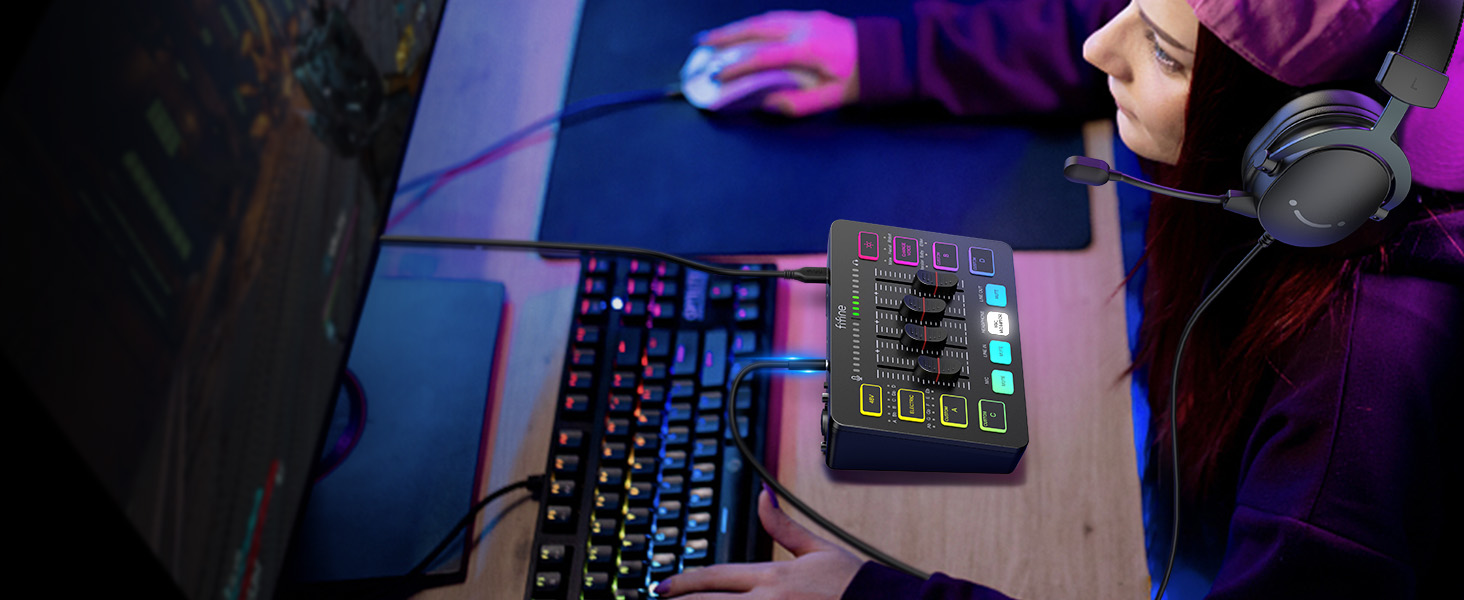
Allows headphones feedback can be heard at any time.
1 Multifunctional Mixer
2 Volume Slider Fader
3 Individual Control Design
4 Mute Button
5 Real-time Monitoring

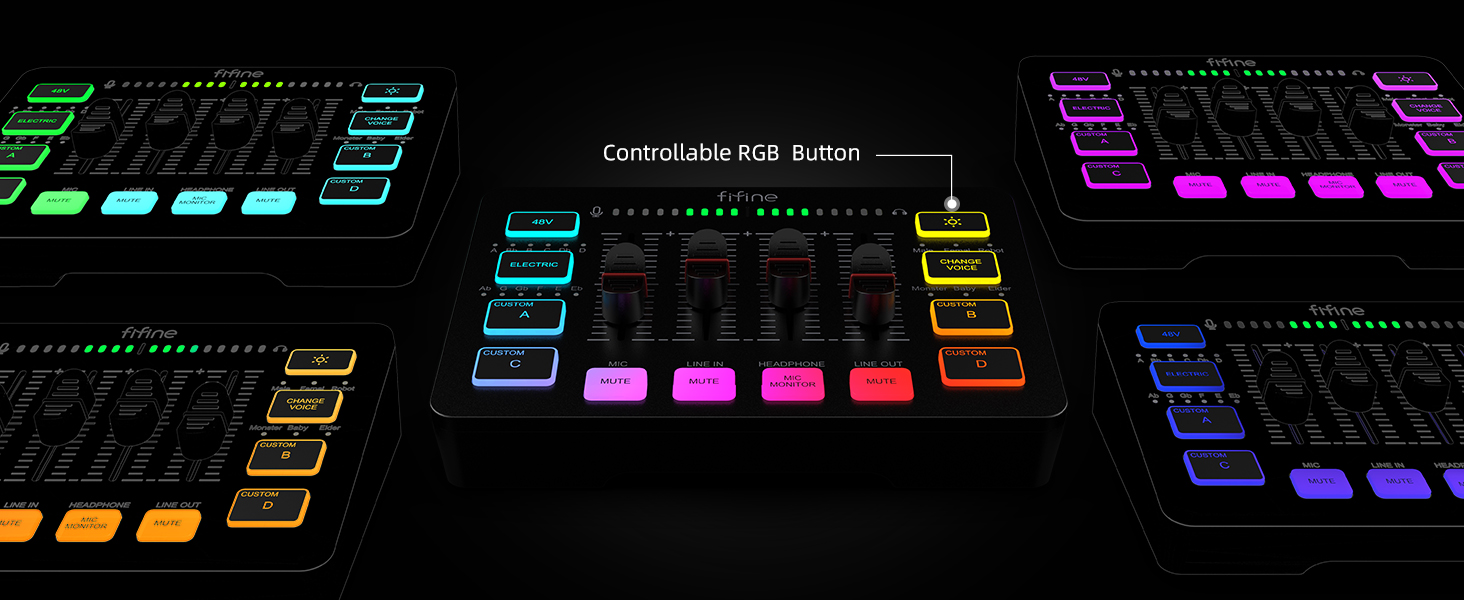
Multiple colors can be chosen for adding up atmosphere.

Set customized sound effect as atmosphere supplement needed.

6 kinds of voice mode meet more interaction requirements.

Convert and gain more sound tones.

Eliminates additional 48V phantom power requirements when using condenser mic.
1 Five Kinds Optional RGB
2 Customized Button
3 Voice Change
4 Auto Tune
5 48V Phantom Power
 For Game Victory
Perform more dynamic elements to your gaming sessions.
 For Live Broadcast
Deliver more realistic sound to your audience.
 For Gaming Voice
Add more entertainment to your gaming squad up.
 For Video Creation
Multiple functions provide more versatility in video editing.
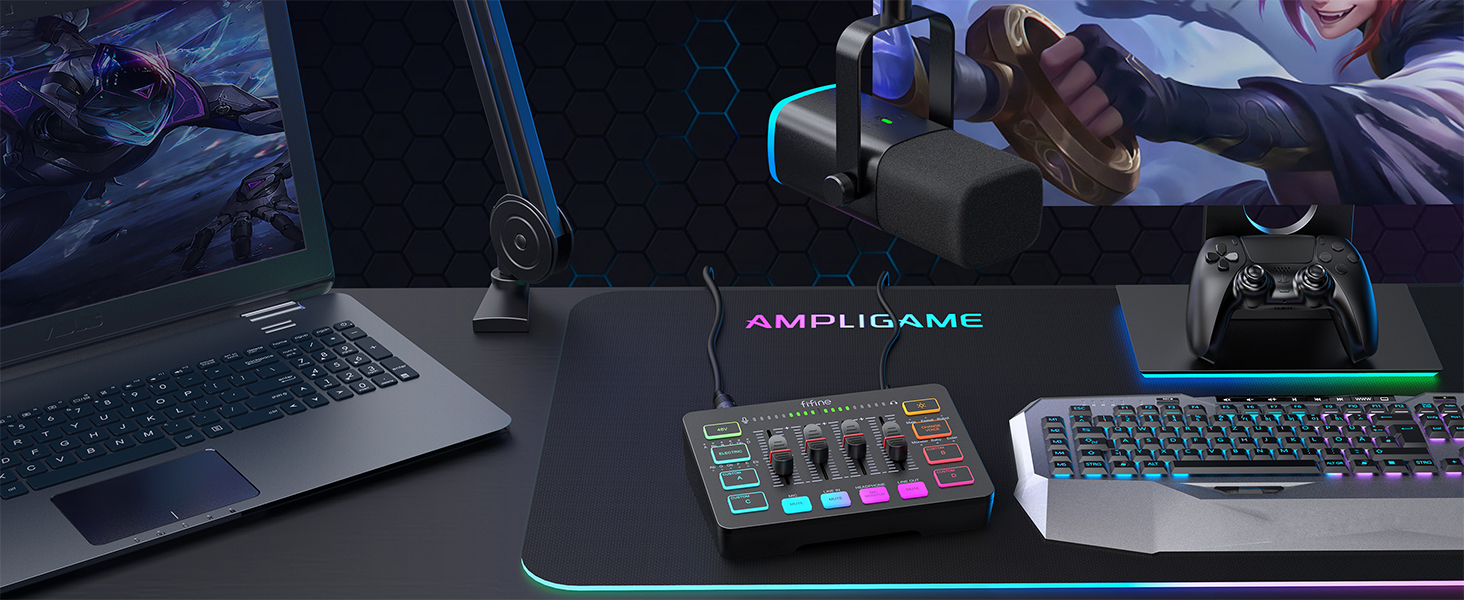 For Gaming Aura
Optional RGB create unique live streaming or gaming zone.
Audio Recording Setup
Add to Cart
Add to Cart
Add to Cart
Add to Cart
Add to Cart
Add to Cart
Add to Cart
Customer Reviews
4.3 out of 5 stars 2,971
4.6 out of 5 stars 269
4.3 out of 5 stars 2,971
4.2 out of 5 stars 246
4.2 out of 5 stars 50
4.4 out of 5 stars 1,808
4.3 out of 5 stars 1,383
Price
$39.99$39.99
$84.99$84.99
$51.99$51.99
$54.99$54.99
$79.99$79.99
$23.99$23.99
$23.99$23.99
Product Item
Audio Mixer
Audio Mixer+XLR/USB Mic
Audio Mixer
Audio Interface
Audio Interfac+XLR Dynamic Mic
Headphones Amplifier
Line Mixer
Features
Individual Channels Control
Individual Channels Control
Individual Channels Control
Mic Input, Instrument Input
Mic Input, Instrument Input
Stereo Audio Quality
Stereo/Mono Operation
Specials
Volume Fader, Controllable RGB
Volume Fader, Controllable RGB
Volume Fader, Controllable RGB
Audio Gain Indicator
Audio Gain Indicator
Compact Portable, Low Noise
Compact Format, Low Noise
Function of Mixer
48V Phantom Power/Mute/Monitor
48V Phantom Power/Mute/Monitor
48V Phantom Power/Mute/Monitor
48V Phantom Power/Monitor
48V Phantom Power/Monitor
Individual Level Vol. Control
Individual Level Vol. Control
More Function of Mixer
Customized Sound, Voice Change
Customized Sound, Voice Change
Customized Sound, Voice Change
Gain Knob/Vol. Knob
Gain Knob/Vol. Knob
LED Indicator
LED Indicator
Uses
Game Voice, Live Streaming
Game Voice, Live Streaming
Game Voice, Live Streaming
Instrument Recording, Podcast
Instrument Recording, Podcast
Monitoring Tracking, Live Use
Audio Sources Blending
Widely Uses
Audio Recording, Entertainment
Audio Recording, Entertainment
Audio Recording, Entertainment
Music Creation, Play and Sing
Music Creation, Play and Sing
TV Listen, Studio/Stage
Instrument/Audio Mixing
Compatibility of Mixer
Computer,XLR/1/4’’ Mic,Phone
Computer,XLR/1/4’’ Mic,Phone
Computer,XLR/1/4’’ Mic,Phone
XLR/1/4’’ Mic/Guitar/Bass
XLR/1/4’’ Mic/Guitar/Bass
Speaker, Headphones
Microphone, Guitar
Widely Compatibility of Mixer
Headset,Speaker,Headphone
Headset,Speaker,Headphone
Headset,Speaker,Headphone
Computer,Speaker,Headphones
Computer,Speaker,Headphones
Television
Bass, Keyboard
Can I adjust the mic gain by using this audio mixer?
Sure! The audio mixer comes with mic volume fader. You can push the fader gradually from the zero until desired loudness depending on your mic gain.
When do I need to turn on the 48V phantom power?
The mixer offers 48V phantom power for XLR condenser mic. Check the mic’s specs. Press “48V” button to turn on (in white light) if needed. Turn it off if not needed to avoid damage or noise. Phantom power does not enhance mic volume.
Can I use the audio mixer with a condenser mic or dynamic mic?
Yes, the audio interface has XLR input for condenser mic or dynamic mic (but not compatible for USB mic). Remember to switch to “Dynamic” or “Condenser” according to the element of your mic by using the switch beside the XLR input to minimize noise.
What headphones can I use with this audio mixer?
It is suggested to use 3.5mm wired headphones (TRS or TRRS) whose impedance is 32 or 64 ohms. Like Fifine H8 (ASIN: B0B6BPVS3Z). Please note that the MIC MONITOR button is turned on and HEADPHONE channel volume not to zero during monitoring.
Can I listen to my voice while recording on a Windows computer?
Yes. Just make sure that the mixer is set as the output and input device of the computer, then check the box “Listen to this device” from the sound setting, and turn on the MIC MONITOR button on the mixer. (MIC MONITOR button in white means on)
[XLR Mic Input] One XLR microphone input interface is set on the gaming audio mixer, which is great to up your audio quality with your XLR setup. The XLR mixer is a stepping stone to upgrade your live streaming. Audio mixer offered built-in 48V phantom power which opens up more choices for mics. Directly use it with your condenser microphone but do not solve added peripherals. (NOT available for USB mic)
[Individual Channel Control] Gaming audio mixer for one mic recording with smooth volume slider fader take your streaming recording to a whole new level with full pleasure. Four independent channels set on the DJ mixer give audio volume of the MICROPHONE, LINE IN, HEADPHONE, and LINE OUT channels individual control. Configurable on the PC audio mixer instead of just operating on your game or streaming software.
[Mute and Monitor] The front mute and monitor buttons but not at the back, make it easier to get the audio interface use. Ability to mute audio, the audio mixer for streaming prevents background noise from damaging your live broadcast. Real-time feedback between speaking and hearing will not distract your attention, which encourage you to speak more confidently. The sturdy-built control button allow you to operate freely and easily during live streaming.
[Sound Effects] The computer sound mixer supports four pre-recorded customized button that can be recorded and activated at the press of button to post production. 6 kinds of voice changing modes change your output style. 12 auto tune changes the tone of your voice. The podcast mixer being able to add different and fun effects is a huge bonus for your streaming or game voice.
[Controllable Vibrant RGB] RGB button on the audio mixer DJ meets different live streaming themes. Lights on the video mixer is vibrant but not harsh on your eyes. Flowing or frozen RGB color rotation in a decent pace presents a greatly strong impression as a “light show” to your audience. Even a streaming equipment accessory will not be dull looking when video production.
[Easy Use for More Scenes] The streamer setup mixer features easy and intuitive audio port to support two PC settings or audio mixing, able to physically balance music, game or audio settings. Plug ‘n play solution works well with Mac OS/Windows. The computer DJ mixer for beginners brings breadth to live streaming on OBS, online chat on Twitch, Youtube/Tiktok video creation. The audio mixer is set with two input and two output interface (Mic and Line in, Headphones and Line out) and a headset interface.
Tips: 1.) USB-C to USB-A/C cable used to connect mixer and computer via Type-C interface on the mixer. 3.5mm to 3.5mm audio cable used to connect mixer and 3.5mm audio device (like phone or tablet) via LINE IN on the mixer 2.) XLR cable NOT included. 3.) Input Interface: Mic, LINE IN and Headset. 4.) Output Interface: Headphones, LINE OUT and Headset.
10 reviews for FIFINE Gaming Audio Mixer, Streaming RGB PC Mixer with XLR Microphone Interface, Individual Control, Volume Fader, Mute Button, 48V Phantom Power, for Podcast/Recording/Vocal/Game Voice-AmpliGame SC3
Add a review

$39.99
Jedrek Sanford –
Worked great on my computer!
The FIFINE AmpliGame SC3 mixer totally upgraded my streaming setup. It looks great with the RGB lighting, and it actually feels high quality right out of the box. I love how easy it is to control everything with the individual volume faders and mute buttonsâmakes it super convenient to balance my mic, game audio, and chat on the fly.Iâm using it with an XLR mic, and the built-in 48V phantom power works flawlessly. My voice sounds way cleaner and more professional compared to using a USB mic directly. Plus, setup was quickâplugged it into my PC and it was recognized right away.This is a solid choice for anyone getting into streaming, podcasting, or just wanting better audio control while gaming. Great value for the price!
Remsing –
Quality Effects / Good Build Quality / Budget Friendly Price
If you’re looking for a Gaming/Streaming/Recording Audio Mixer that includes Line-In, 3pin XLR, and 3.5mm Headset Plugs. Then this one is what you’re looking for. With 2 Types of Popular Voice Filters.The main thing you want in a Mixer is the obvious. The ability to Mix Devices that are plugged into it. This bad boy can accept 3 different devices. XLR Mic, Headset, and Line-In. Along with a Line Out. So if thats what you need in a mixer, this is perfect for you, and at a good price point at around $45.On top of that. You get a Sturdy Quality build. The plastic is solid and doesnt feel wobbly or bendable. The dials are firm, they dont get stuck, but still feel like they will last a while. The lighting in all the buttons and dials are clear and evenly placed. So you dont feel like theres a strong pinprick of light coming out of 1 or 2 of the button and the other half are dull. Its even and good RGB lighting if thats a big selling point.Last. The Audio effect. Its a pretty standard Electric Twang effect on the left side. with 12 different pitch options. The other has a voice changer with 6 different options. This modulates your voice to make you sound young, old, robotic, or demonic. Its not hyper advanced but for what it does, its dependable and sounds good. Tho based on your voice (it being deep or high pitched) some filters may work better than others.Its also got 4 favorites buttons so you can quickly press and hold to save the filters you like for fast reference. Which is good for streamers.When plugged in to your computer it provides a single Mic Input, and a Single Headphone Output. For those curious.Overall a solid buy. But its gonna depend if those features. The number and types of plugs, and the effects… Are what you’re looking for. Keep that in mind.Included in my review is a video sample of what the sound effects sound like. I have a modestly deeper voice.
Jaleesa M –
Great for the budget !
Works great ! Easy to connect and use based on basic technical knowledge, if none? No worries provides easy connectivity instructions to get you connected to your device of choice! The Mixer quality is good for what your getting, meaning that my microphone also Fifine Desktop mic connected by XLR cable to the mixer has great quality. However, the Customizable pads to record your own sounds has a low quality but still functions pretty good for playback. Love the features it holds as voice changer and auto tune built in, with many options for it along with the color changing pads of your liking. Great for a budget buy !
Ector cabral –
I love this thing so much
I love this mixer so much I thought I was not going to like it and was hesitant to at first,After setting it up I like a lot of things like how good the audio sounds and the rgb is really cool the electric is auto tune and works really cool I left it on during a recording session and it was really funny and my friends hate it lol, the voice changer works really good tooI like how there is no app to install too itâs all just worksI LOVE that I donât have to switch pc audio from my headset to my speakers, itâs an INSTANT button press to switch and I can even do bothConâsI wish the 4 program button was used for something else like maybe a faster button for the voice changer so when your trying to be funny on stream it quick and there is no pause, or even like being able to set up macros, ( but thatâs a stretch and will ruin the no app feature I guess)I canât record (w/ the program buttons) unless the mic monitor is in it makes sense but I did not realize that at first!
Junior –
Everything you need in 1 box
So far i have been using the Fifine audio gaming mixer for about 6 months, and I have say it’s been a huge upgrade for my editing/streaming setup.The voice changing feature is Awesome, i am always changing my voice to mess with my friends or randoms while online gaming. The main reasoning for me getting this audio gaming mixer was i needed an interface that i can connect a xlr condenser microphone with 48v of phantom power and this has everything i needed plus rgb lighting which was the icing on the cake!The mixer comes in 2 colors black and white, white fits my gaming setup and looks great!This was a pretty solid addition to my setup and i don’t know how i did it before. Itâs really simple and easy to set up and at a great price! I’d definitely recommend giving this audio gaming mixer a chance.
Cooper Gauci –
It felt like I spent my money good, and I did! I recommend this to people that cant afford the other ones that range to 200 dollars, and fo this price, it amazing.
Krys –
Produit vraiment nickel malgré quelque souci de livraison. Il fonctionne super bien le son et top fonctionne sur ma ps4 possibilité dâenregistrer des son avec les bouton A B C D je recommande cette petite table de mix
ibrahim semih yavuz –
Bence bu fiyata ihtiyacınız varsa düÅünmeden alın derim iÅini fazlasıyla yapıyor.
SALMAN A. –
This little mixer is perfect for streaming and content creation. Clean audio control with sliders, easy USB setup, and solid compatibility with XLR mics. Real-time monitoring works greatâno noticeable latency. I use it for gaming, Zoom, and podcast recording, and itâs been smooth all around. Build quality is better than expected, and it doesnât take up much desk space. Total win.
Karina –
Excelente