
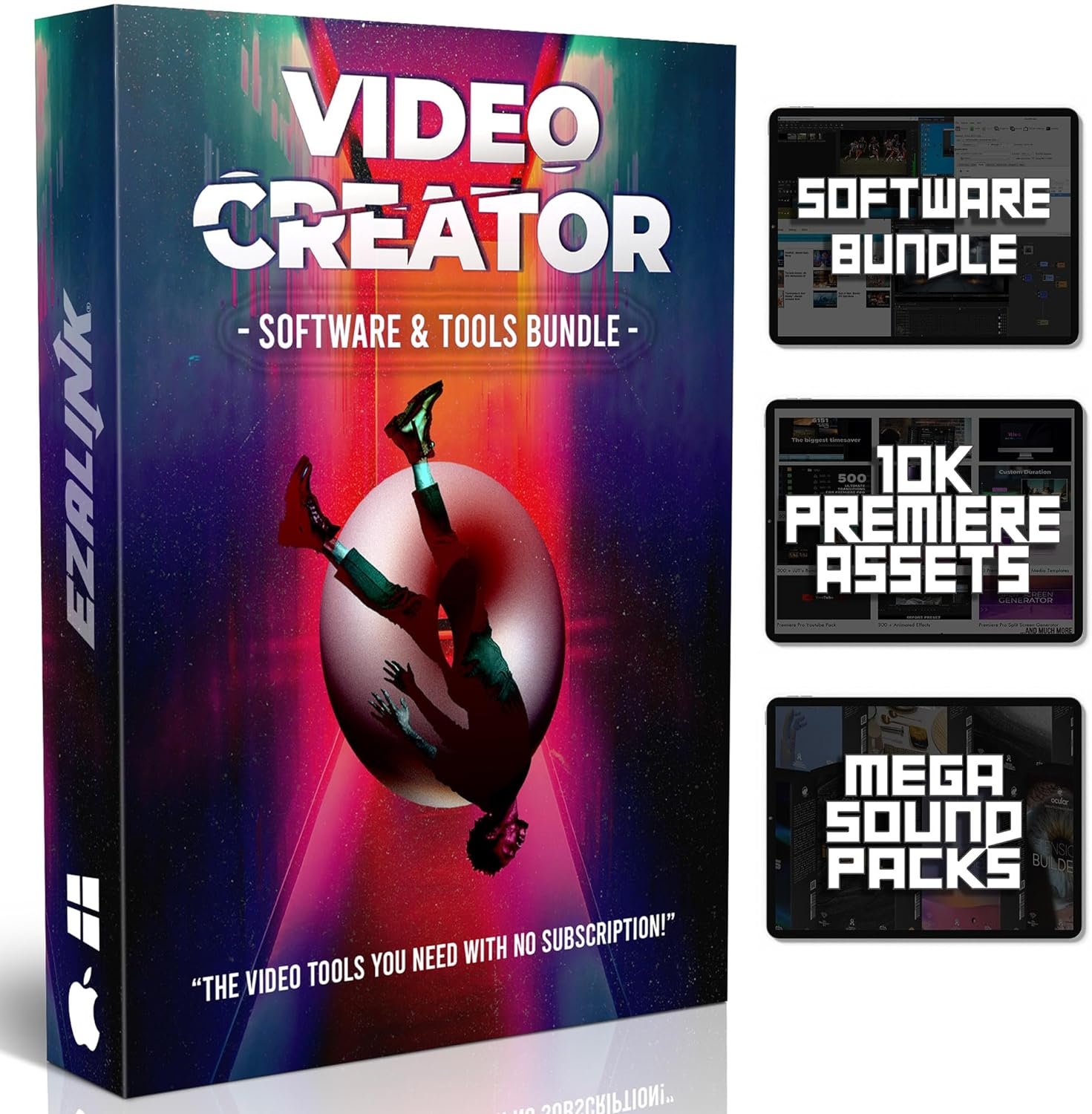
Video Editing Software Pack | Editor, YouTube Downloader, MP3 MP4 Converter, Green Screen App | 10K Transitions for Premiere Pro and Sound Effects | Windows and Mac 64GB USB
$24.95
Related Products




Product Description

Video Creator is an all-in-one solution for every video maker. Avoid never ending subscriptions and access all the tools you need on a 64GB USB flash drive. Made for online videos, pro-level content, corporate presentations, or cinematic movie making.
A Windows or Mac computer is required. Here’s what’s included…

Ultimate Premiere Pro Assets Pack
This is the ultimate toolkit for video editors and content creators looking to elevate their projects to the next level.
Unlock a world of creative possibilities with a vast library of high-quality transitions, stunning motion graphics, and captivating visual effects. Over 10,000 pro transitions, presets, text effects, titles, lower thirds, and more.
These assets seamlessly integrate with Premiere Pro, saving you valuable editing time and allowing you to focus on storytelling.

Essential Video Software Tools
Video Editor & Compositor
If you don’t have Premiere utilize the powerful user-friendly editor with an array of features like multi-track timeline editing, advanced audio tools, customizable transitions, filters, and more.
The compositor is perfect for those using a green screen or doing more advanced editing. Access a powerful suite of tools for compositing, rotoscoping, keying, and more.
Online Video Downloader & Converter
Quickly download and save videos for offline viewing from video streaming platforms like YouTube, Facebook, IG, TikTok and more. With the converter you can compress, change formats like MP4 to MP3, rip DVDs, and resize.
Screen Recorder & Live Streamer (2-in-1 Software)
Record your entire screen or part of it and save your video.
Easily capture and broadcast your gameplay, live events, webinars, and more to platforms like Twitch, YouTube, or Facebook Live.
Things You Can Do Easily Edit, Trim, Export Videos Download Online Videos Convert Videos to Most Formats Record or Capture Your Screen Live Stream Composit Videos

Cinematic Samples and Sound Effects Bundle
A secret weapon to elevate your video productions to Hollywood-level quality. With this meticulously crafted pack, you’ll have access to a treasure trove of audio assets that will breathe life into your projects. 3GB in size with high quality Wavs.

System Requirements
Works on Windows 11, Windows 10, Windows 8/8.1, and Windows 7
Works on macOS and Mac OS X newer than 10.7
2025 Update: The 64GB USB now has a new design with only the N from the EZALINK logo and includes a USB-C Adapter for newer laptops.
You will receive all these digital tools on the 64GB USB. The cover art is included on a plastic box.
Open Source Software Notice: This product includes software licensed under GPLv2 and GPLv3. In compliance with GPLv2 and GPLv3, a copy of the license is included and the corresponding source code is available upon request.
Product Dimensions : 5 x 3 x 1 inches; 1.13 ounces
Date First Available : September 1, 2023
Manufacturer : EZALINK
ASIN : B0CH442XW8
Country of Origin : USA
10,000+ Premiere Pro Assets Pack: Including transitions, presets, lower thirds, titles, and effects.
Online Video Downloader: Download internet videos to your computer from sites like YouTube, Facebook, Instagram, TikTok, Vimeo, and more. Save as an audio (MP3) or video (MP4) file.
Video Converter: Convert your videos to all the most common formats. Easily rip from DVD or turn videos into audio.
Video Editing Software: Easy to use even for beginner video makers. Enjoy a drag and drop editor. Quickly cut, trim, and perfect your projects. Includes pro pack of filters, effects, and more.
Ezalink Exclusives: 3GB Sound Pack with royalty-free cinematic sounds, music, and effects. Live Streaming and Screen Recording Software. Compositing Software. 64GB USB flash drive for secure offline storage.
11 reviews for Video Editing Software Pack | Editor, YouTube Downloader, MP3 MP4 Converter, Green Screen App | 10K Transitions for Premiere Pro and Sound Effects | Windows and Mac 64GB USB
Add a review

$24.95
Just do it. Worth it. –
Amazing PC product
Product performance is very satisfying and easy to use. Video Creator opens doors to many unique tools for creativity.
Napoleon Salvail –
Looking for cost effective video editing
I had been using a video editing program for several years after obtain a lifetime license for its use and was very happy. Recently when trying to use the programs they indicated it was unlicensed and when I used the code it indicated I could not activate. Apparently they changed the agreements so that I must subscribe on a yearly basis or pay a hefty fee to use on one computer without the capability to transfer. I found EZALINK and Video Creator with its one time cost. For a non professional user such as myself this is the perfect solution to a variety of editing needs.
Philip Albright –
Not user friendly
The instruction to operate this software is not comprehensible.. either it expects you to be a computer genius or it is incomplete.. I would have returned it but not worth the time to mess with it I through it in a drawer
NikkiP –
once you get the hang of it, it’s easy to use
make sure to watch the tutorial videos
Danielle Standford –
umh…
it might be my laptop, but the software keeps dropping o when i use it.
frank –
Easy to use
Works well
Dirk Foster –
High Quality Video Production on a Budget!
I teach everything from situational awareness to self-defense to first aid & CPR. After teaching on the side for years, I recently quit my retail job to begin teaching full-time. The thing is, to run a business these days you need to have videos up and the better made they are, the more business they generate. Of course, as a new business, you can’t even say that I’m on a shoestring budget because I can’t even afford flip flops. That’s where Video Creator comes in though. I was skeptical about what I’d get for the low cost, but I’m pleasantly surprised with the function & features. It may not be professional software but it’s making me look like I hired a professional. Thanks Video Creator!
CHUCK KILLINGBECK –
Good tutorial
Nice product!
Francis Li –
Good product
Norm –
Beau logiciel semble tres complet . Pour un débutant comme moi,, j y comprend pas grand chose. Faut aller sur le net pour avoir un peux d information.
Downtownsound –
every was as expected